
Yesterday, I showed y’all a mockup of my dining room that I did using ChatGPT. I’ve done a few mockups of various areas of our house (mostly exterior ideas) over the last few months, but I think this was the first time I did an interior room and got ChatGPT to implement my ideas accurately. I mean, that finished version was spot on.
I think part of that is that ChatGPT has improved dramatically over the last few months. The rate at which AI is improving is quite amazing. And yes, it’s also a bit terrifying as well, but that’s a whole different topic for a completely different type of blog/website/podcast, and I’ve listened to many of those podcasts over the last few weeks. So today, we’re not going to focus so much on how AI is going to enslave us all or how the robots are going to rise up and destroy humanity. We’ll let the podcasters and whistleblowers cover the deep stuff and see if they have any solutions for us. So in the time we have left before that happens, we’re just going to have some fun with a few pictures. 😀
First, while I do think that ChatGPT has come a long way in the last year, I think it’s important to have an idea of what you want before you start asking it to edit your photos. If you just leave all of the decorating decision to ChatGPT, it’s unlikely that you’ll get what you want. Let me show you.
Just as a test, I uploaded these two photos of what our living room looked like when we bought the house.
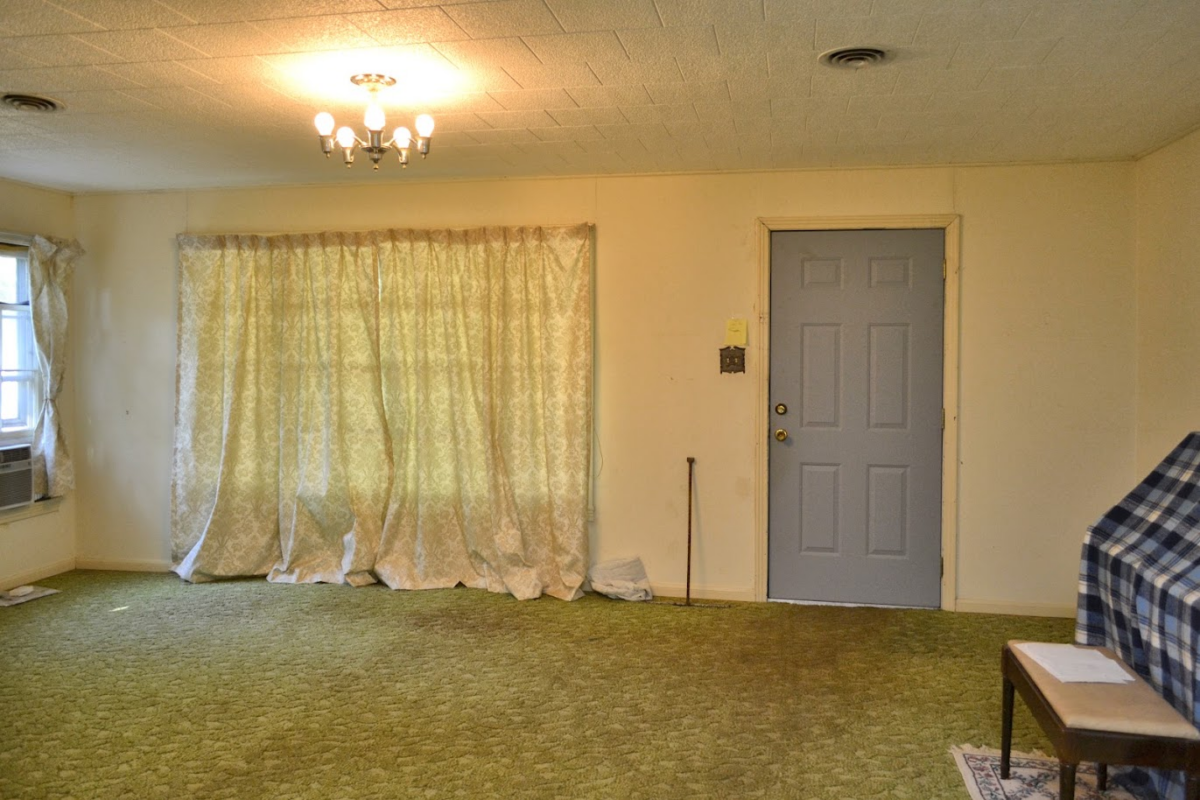
Here are the instructions I gave it:
I want you to give me an idea for how to decorate my living room by editing the first image. I’ve included the second image so that you can see how the front door of the house opens into this room with about five feet of space to the right of the front door. Here’s what I want and like:
- I like bright, colorful rooms. My favorite colors are white, really light gray/greige, dark teal, all shades of pink, green, with accents of yellow and orange.
- I love flowers and anything floral and stripes.
- I love large prints and textures.
- There is hardwood flooring under the green carpet, which obviously needs to go. The hardwood floors are red oak, so they can be stained or left natural.
- I love pinch-pleated draperies on windows.
- The whole room needs to be arranged with the front door in mind. While I don’t have an actual entryway in the house, I’d like to create an entryway feel with the furniture placement.
- The old windows need to be replaced with updated windows, but I’d like them to be the same size.
- The polystyrene ceiling tiles need to be removed and the ceiling needs new drywall.
And here’s what it gave me. 😀
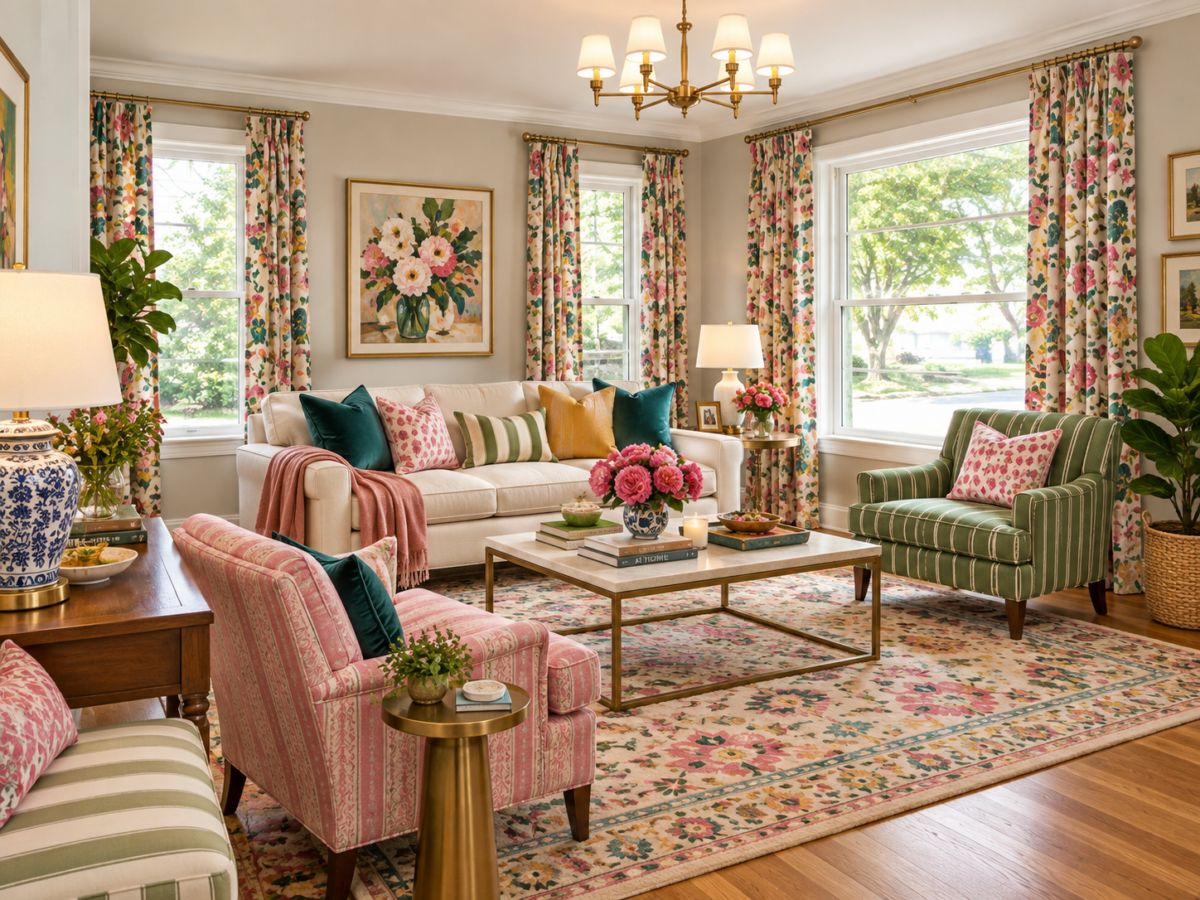
Ummmmm…yeah. I don’t know who this room is for, but it’s certainly not me. Of course, once it spits out a picture, you can ask it to edit things. But my goodness, where would I even start with this?
But I did give it the following instructions just to see if we could make any headway:
Replace the area rug with a rug that has a geometric pattern (not stripes, but something else) in the right colors. Also replace the blue and white ginger jar lamp with something a little more modern and less traditional.
And here’s the result…
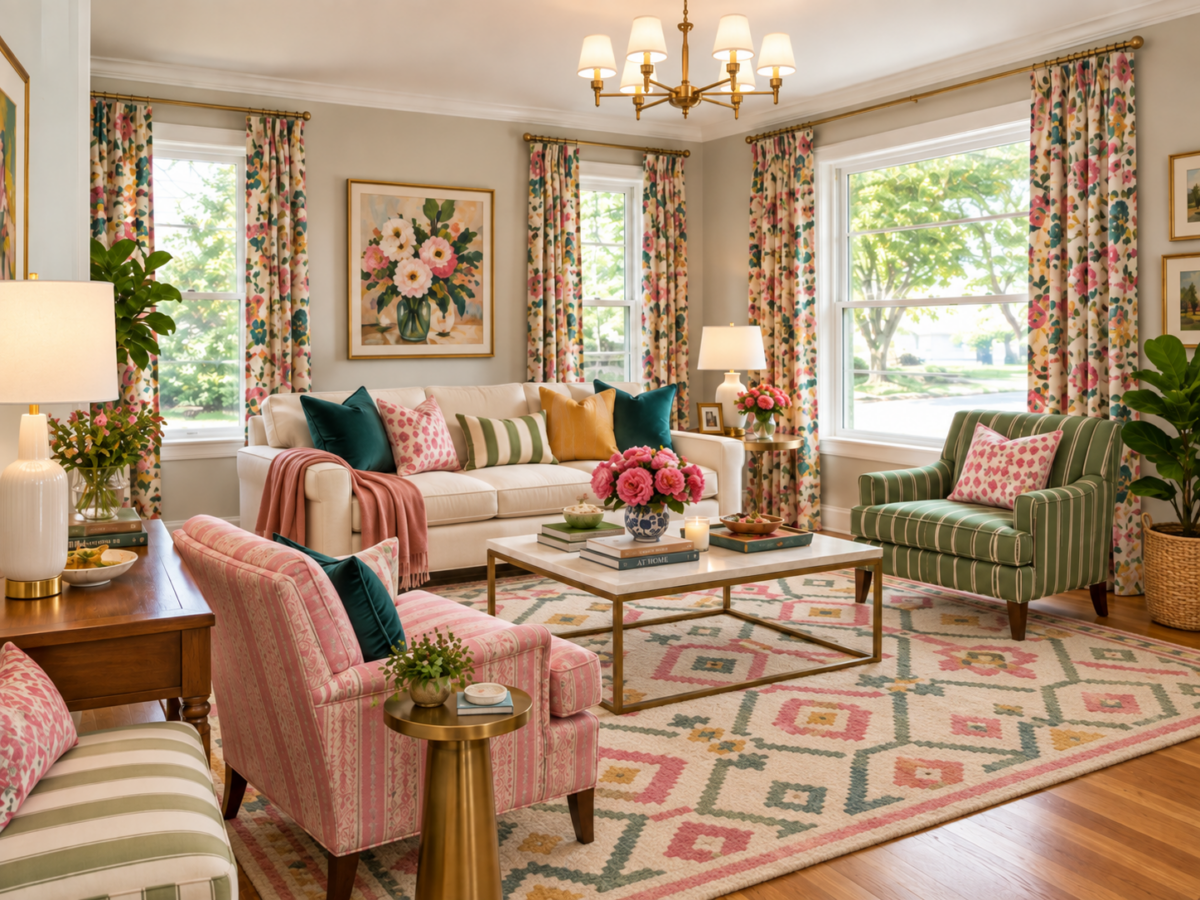
So the lesson here is that if you’re going to use ChatGPT to do a mockup of a room, have some ideas in mind and have some photos of things you like gathered so that you can upload them and guide it along in the redesign of your room. Here’s how I did that with my dining room…
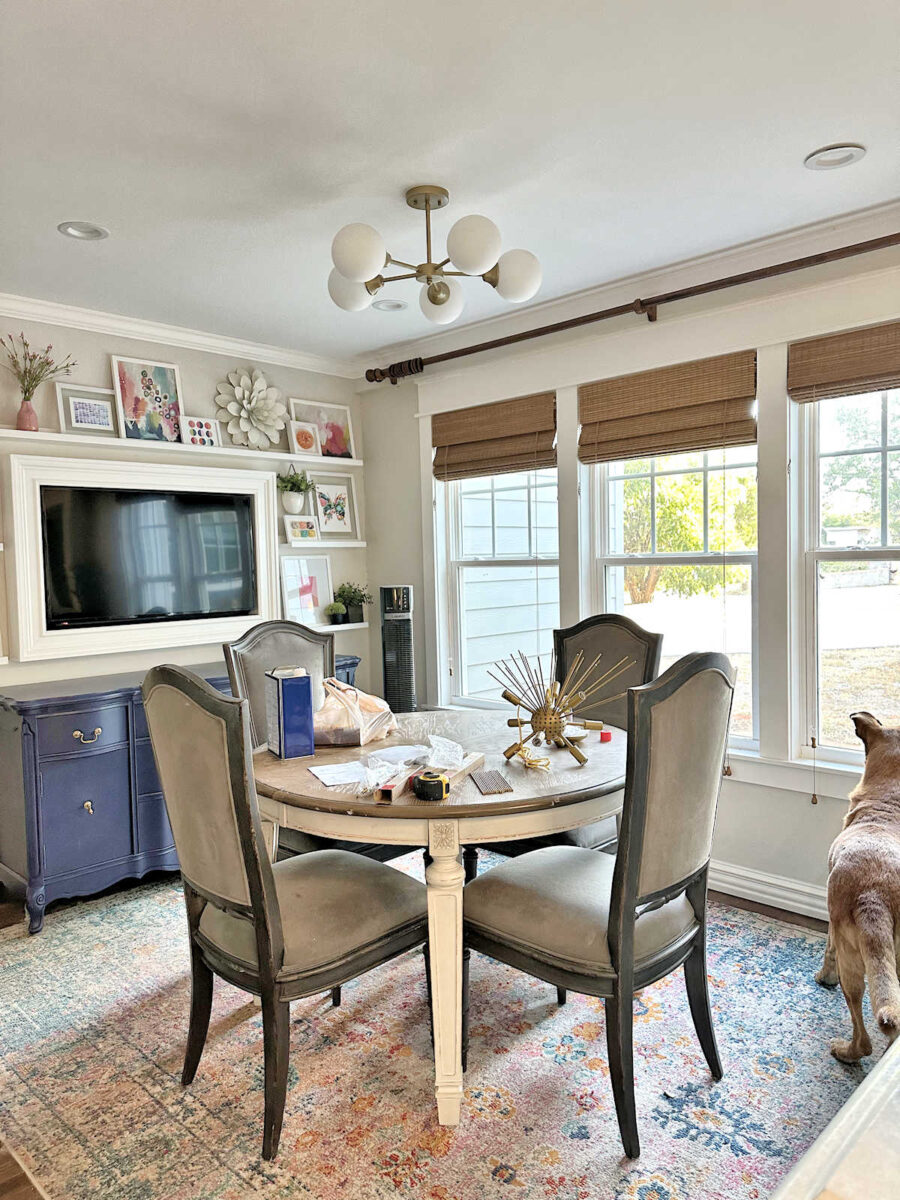
First, I wanted to start with trying out the green table, so I uploaded this photo of my dining room with the table and chairs…
And at the same time, I also uploaded this image of the green table that I found a while back…
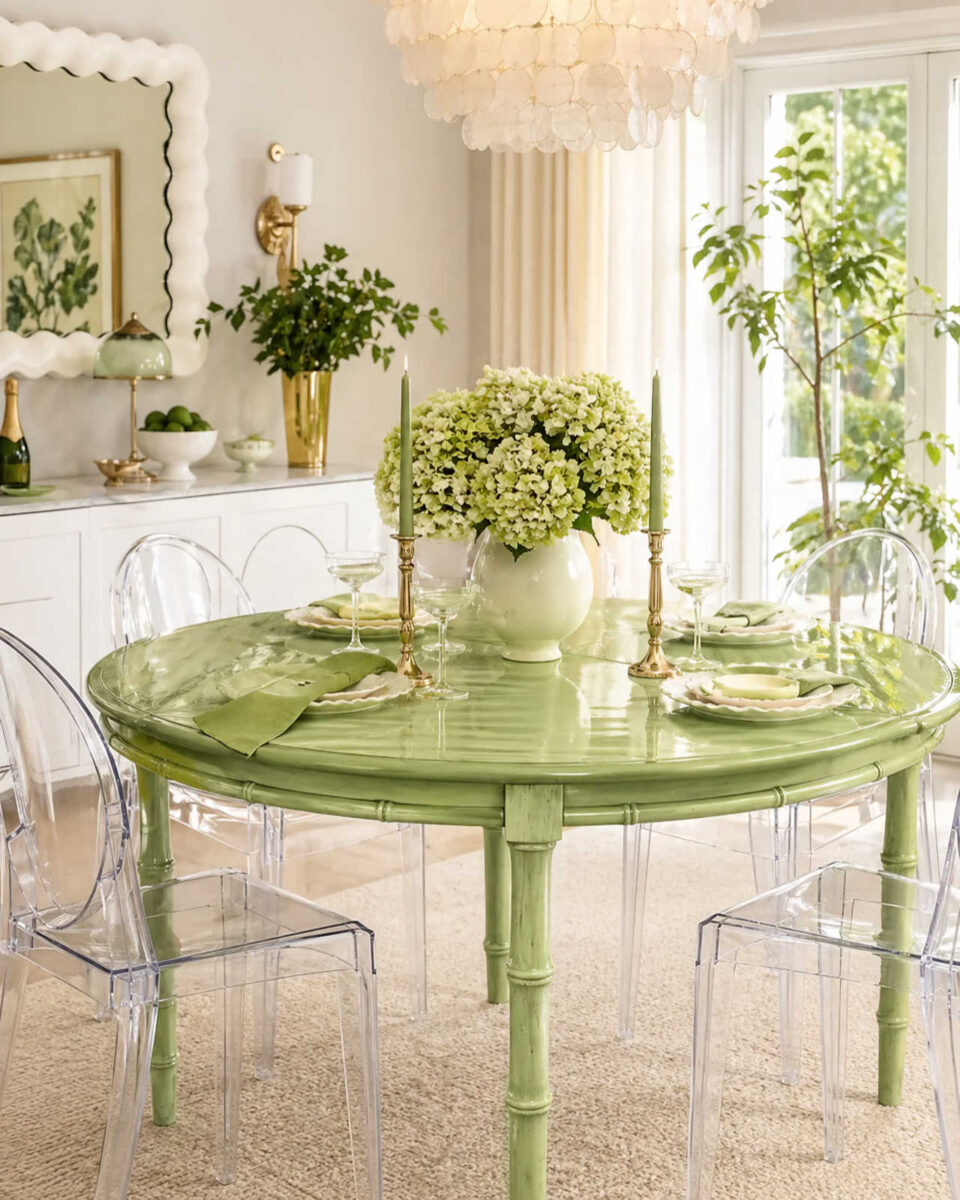
I gave it the following instructions:
The first picture shows my dining room table and chairs. Edit the table and make it the same green color as the table in the second picture. Also, remove the clutter from the table top.
And this is what it did…
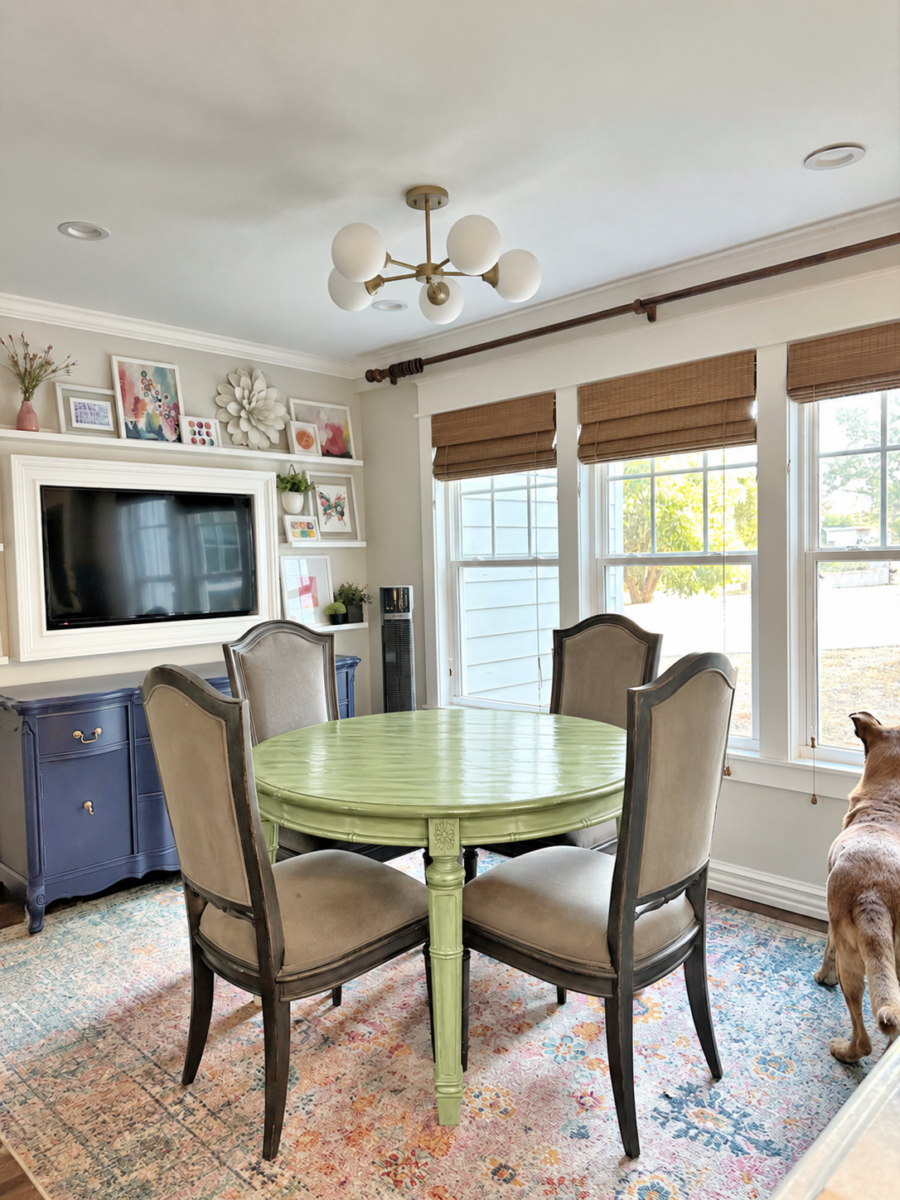
Next, I clicked on the “Edit” button at the bottom of the photo it generated, then I uploaded this photo…
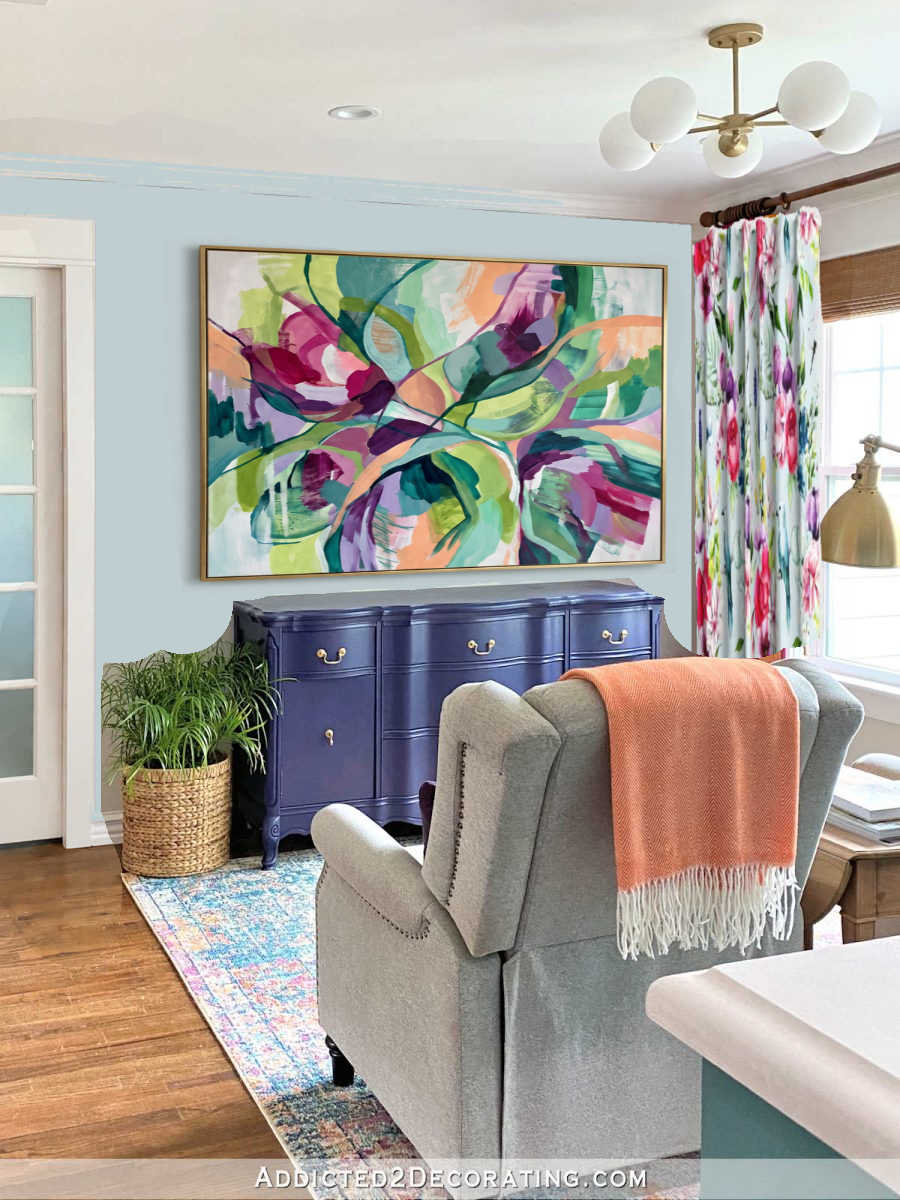
And I gave it the following instructions:
The table looks great! Now make the following changes:
- Remove the area rug and make the whole floor the dark red oak hardwood floor that is seen in the bottom left corner of the photo.
- Remove the shelves, framed TV, and artwork on the wall above the buffet and replace it with the artwork shown in the photo I’ve attached.
- Make the wall color the light blue shown in the photo I’ve attached, but keep the trim around the windows and the baseboards white.
And this is what it gave me. So far, so good!
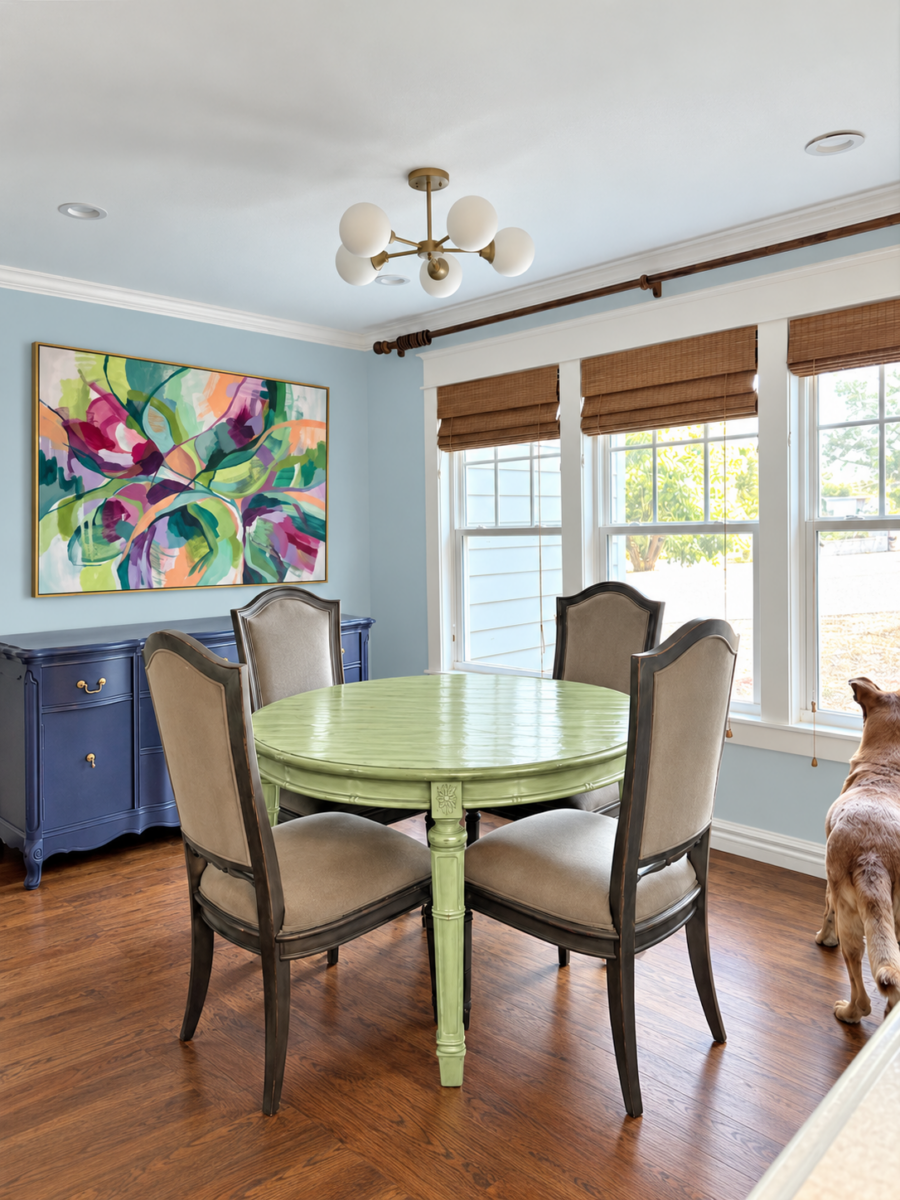
Next, I clicked the “edit” button at the bottom of that new photo that ChatGPT created to continue editing. I grabbed this photo from Spoonflower of the fabric I designed shown as curtains. This is all that Spoonflower shows, but I uploaded this photo…
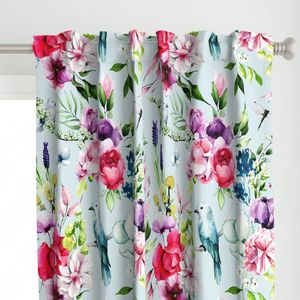
And I gave it these instructions:
Add these draperies to the left side of the curtain rod where the curtain rod rings are. Make the curtains floor-length.
And this is what it generated. It’s not a perfect representation of the curtain fabric, but it’s close enough.
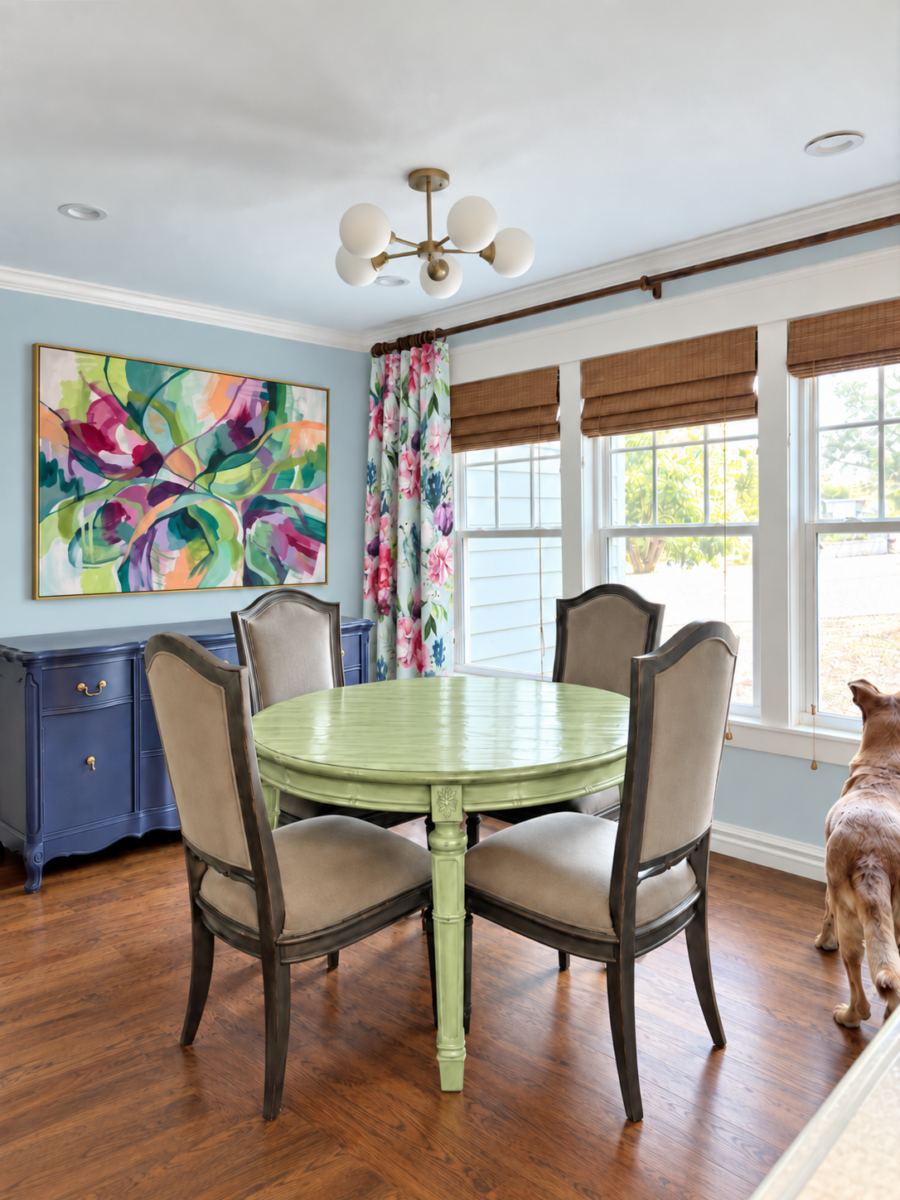
Next, I clicked that “edit” button on the last photo and uploaded this clear image of the drapery fabric pattern…
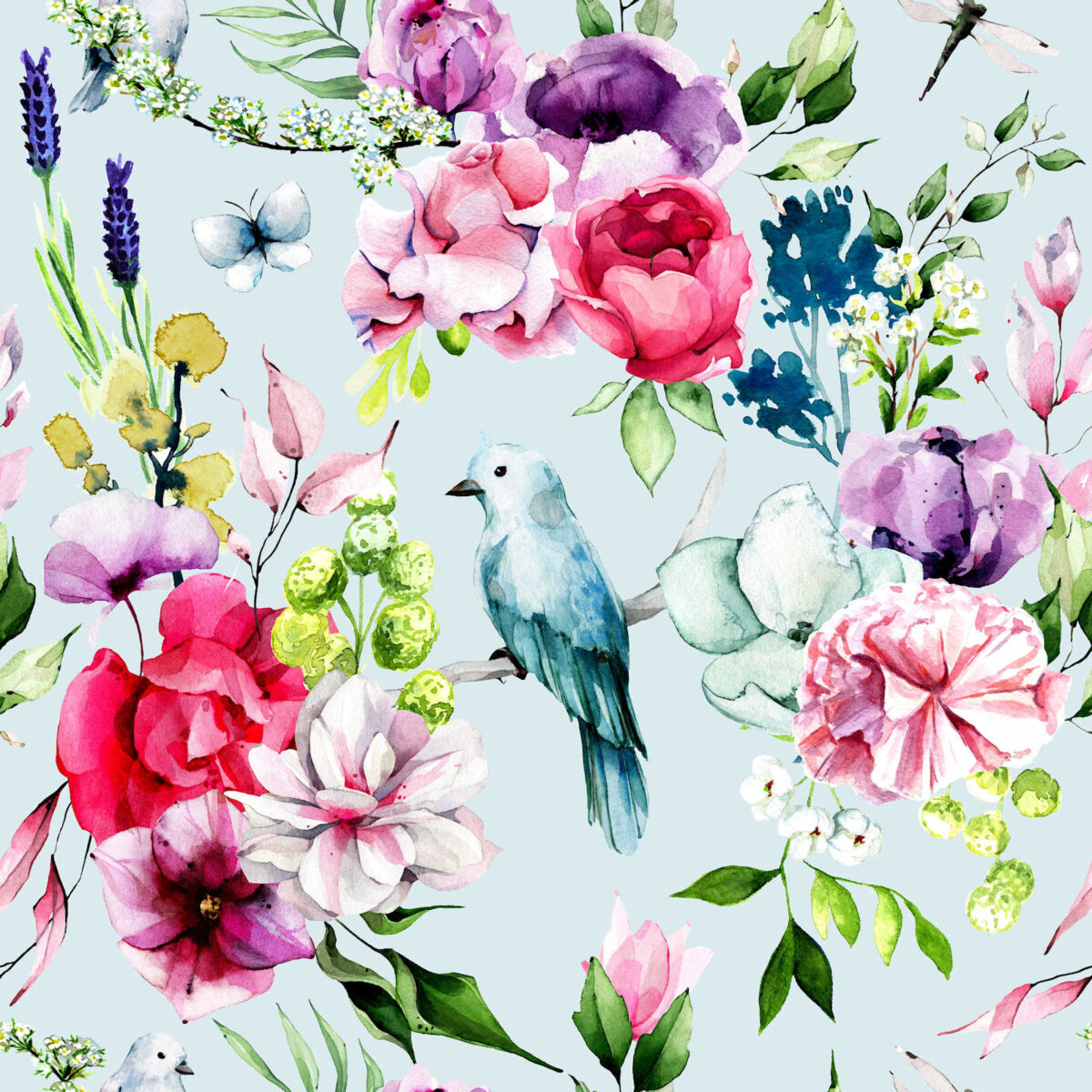
And I gave it the following instructions:
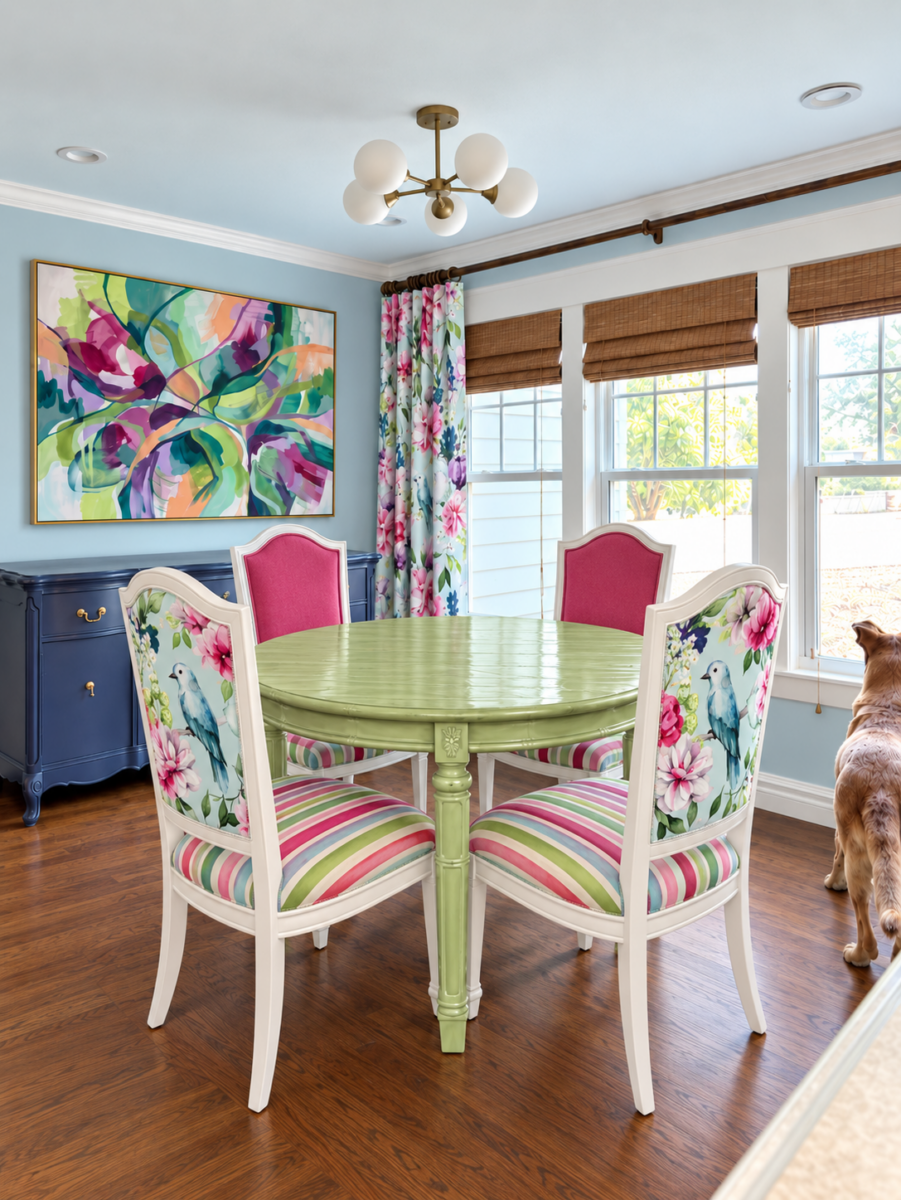
Everything is looking great so far! Now let’s work on the chairs.
- Paint the wood parts of the chairs white to match the crown molding and baseboards in the room.
- On the upholstered parts of the chairs, let’s do the following: (1) On the back of the chair backs, replace the solid fabric with a section of the fabric print that I’ve attached so that the bird is centered top-to-bottom, but sitting slightly to the right instead of being centered left-to-right, (2) make the upholstered seats a fun striped fabric using colors from the fabric pattern I’ve attached with the stripes going front to back and not side-to-side, (3) make the front of the upholstered backs a solid dark pink from the fabric pattern I’ve attached.
And it gave me this…
And finally, I clicked that “edit” button one last time, uploaded the following picture…
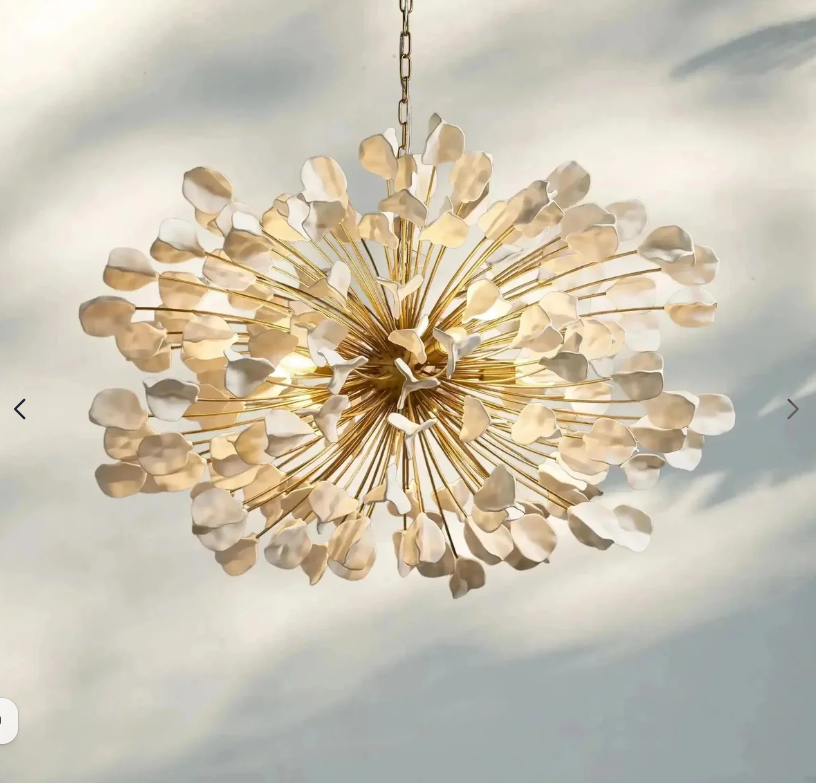
And then I gave it these instructions:
It’s looking so great!! One final change — Swap out the ceiling light fixture for the chandelier attached. Make the chandelier hang down so that it’s about 36 inches above the tabletop and make the leaves (or flowers, whatever they are) more of a brighter white (more the color of the wood on the chairs) than the cream color they are in the photo attached.
And that’s when it resulted in this final picture…
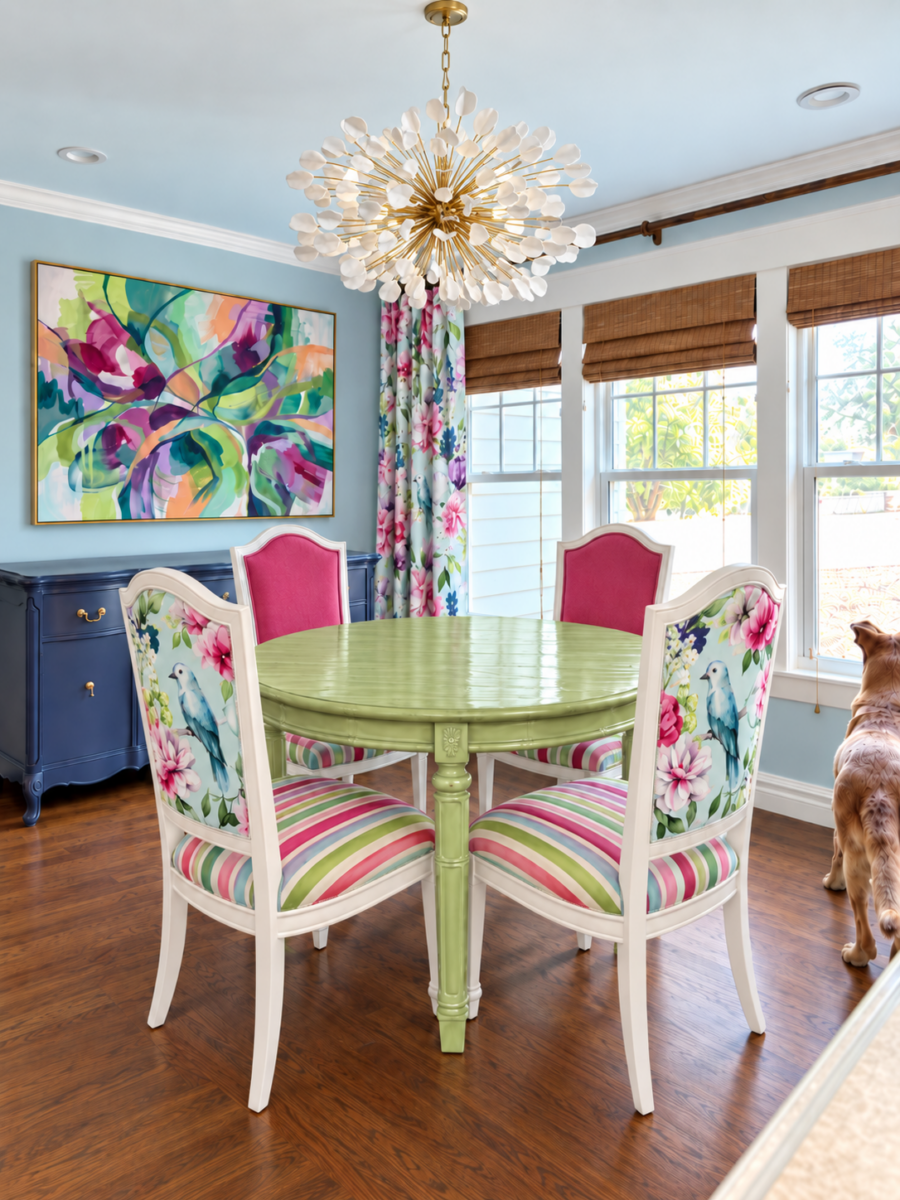
So it took me several steps to go from the before picture to the final mockup.
Could it have done all of that in one step if I had given it all of those instructions at once? Maybe. I don’t know. I just know that I’ve had much better results if I kind of hold its virtual hand and walk it through the process one step at a time.
But the main thing I’ve learned is to never let ChatGPT have carte blanche when it comes to decorating your room for you. Because, as you can see from my living room experiment, when you tell ChatGPT something like, “I like florals and stripes,” it will put florals and strips on just about everything. ChatGPT does not have decorating taste. It just has the ability to respond to your inputs. So the clearer and more explicit you are in your instructions, the better the outcome will be. But more importantly, the more ideas and photos you bring to it, the easier it will be to get the results you want.
I hope that helps those of you who have been struggling to get the results you want with ChatGPT or another AI chatbots. Perhaps we can get some good use out of it and at least have some beautifully decorated rooms before the AGI takeover of humanity. 😀 (I laugh so that I don’t cry because some of these whistleblowers are seriously freaking me out with their dire predictions.)
More About Our Breakfast Room
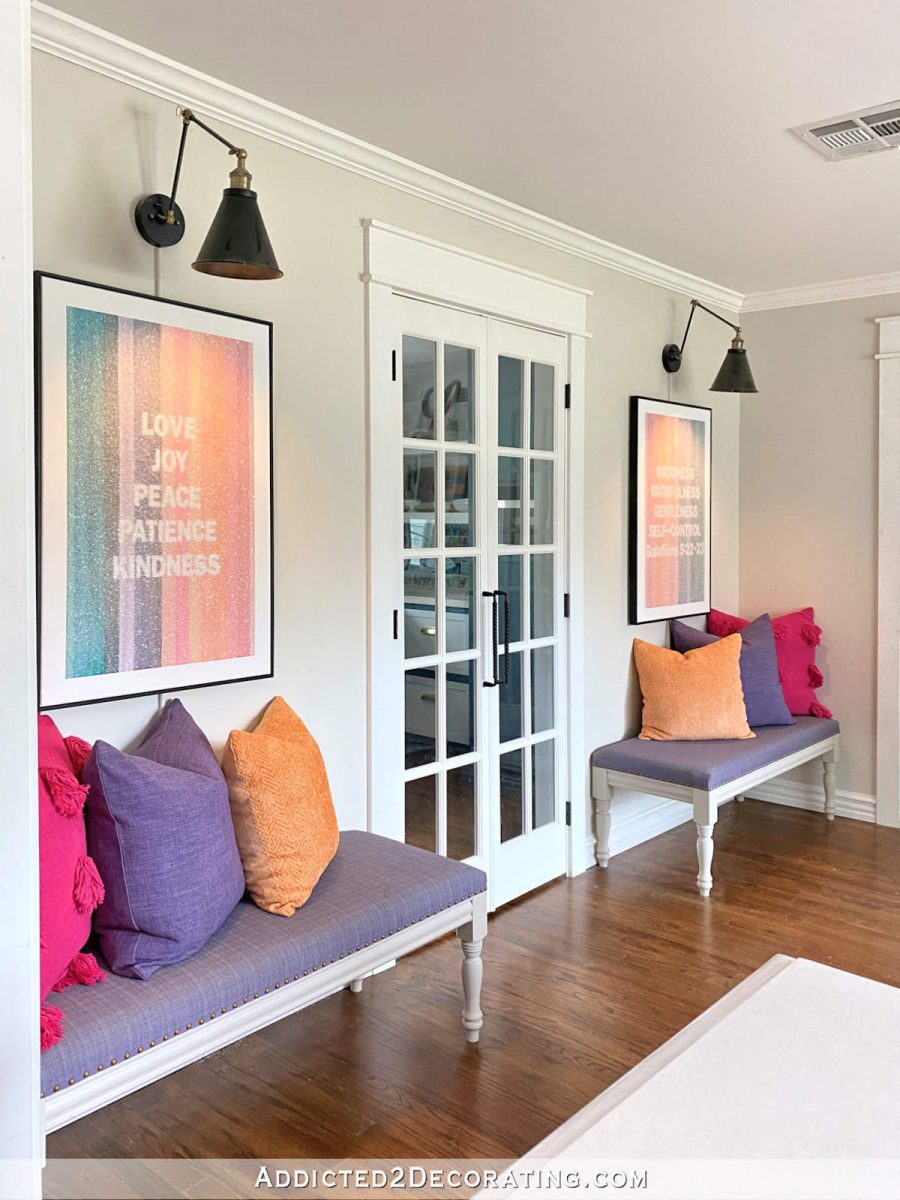
see all breakfast
room diy projects
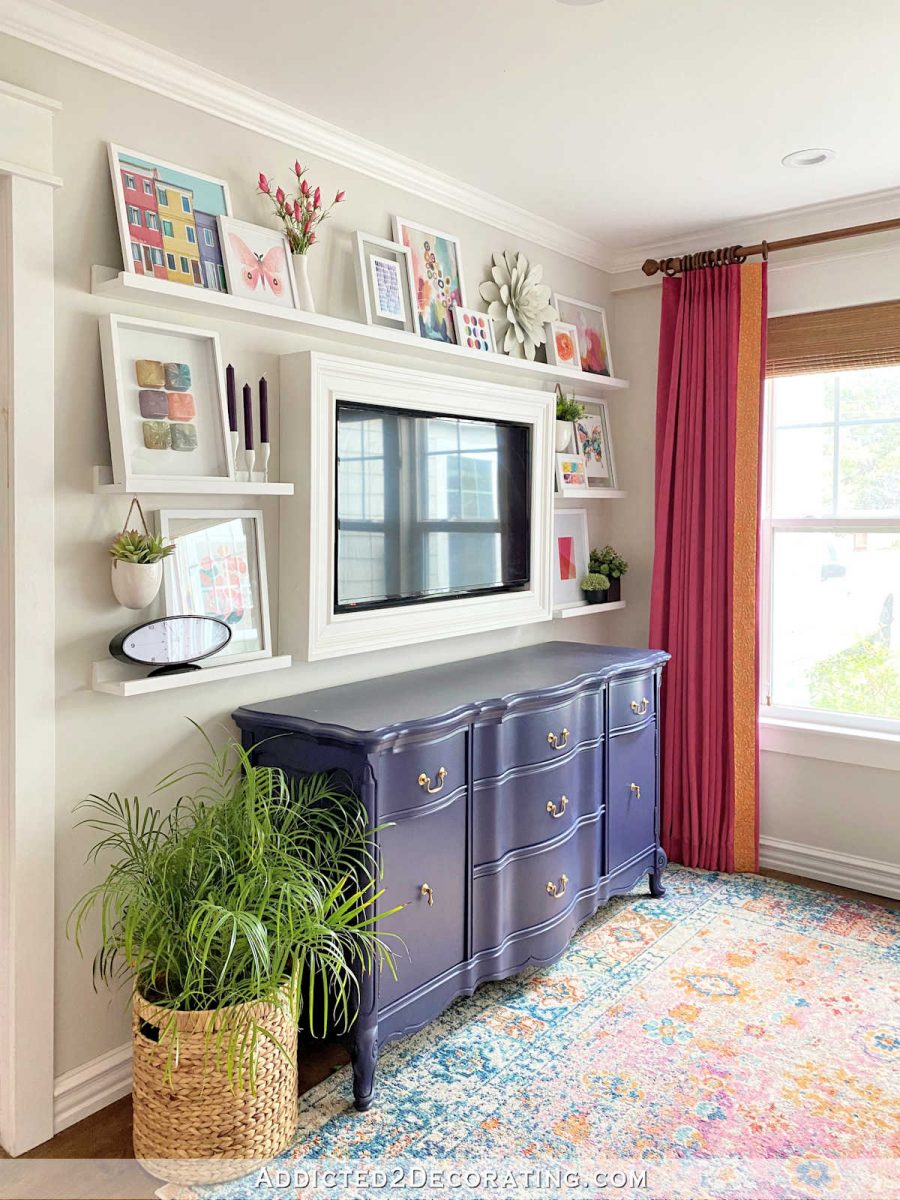
read all breakfast
room blog posts

Addicted 2 Decorating is where I share my DIY and decorating journey as I remodel and decorate the 1948 fixer upper that my husband, Matt, and I bought in 2013. Matt has M.S. and is unable to do physical work, so I do the majority of the work on the house by myself. You can learn more about me here.
Trending Products






TERSE Fashion Women’s Headbands for Sho...

